


Welcome !

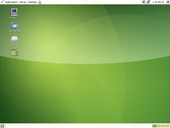
Foresight Linux is a Distribution which showcases the latest and greatest version of the GNOME Desktop Environment and Freedesktop.org.
Foresight includes some of the more innovative and new software being built for Linux today, including Beagle  , F-Spot
  , Avahi , and the latest HAL
  . All of this is included in the default installation, plus a nice, clean default theme and artwork. Where does the name Foresight come from? Glad you asked! Many things about Foresight are innovative, not just some of the applications that are included. The biggest of which is Conary, which is a new way of looking at package management.
Participate: We are anxious to grow and the key is participation. There are many ways to help: design, documentation, packaging, and marketing.
Buy: The Linux Store donates a portion of all Foresight CD/DVD sales to the project. Please help support us, this is needed to help us get discs to give away at various shows/conferences/meetings.
Latest News
- Foresight Linux 1.4.2. was released on November 28th, 2007 and was a minor bug fix release. See the Foresight Linux 1.4.1 release notes for more details. Foresight Linux 1.4.1 was released on October 19th, 2007 with GNOME 2.20.1.
- Foresight Linux 1.4 was released on September 19th, 2007. View the release announcement, the release notes, or the special Pirate version of the release notes to celebrate Foresight Linux 1.4 being released on International Talk Like a Pirate Day. Please visit the downloads page and get Foresight Linux today.
- Issue 9 of the Foresight Linux Newsletter is out! This month’s edition takes a look a look back at Foresight’s achievements in 2007, updates on 2.0 alpha currently in testing, the new GNOME Developer Kit based on Foresight Linux and updates from the marketing and infrastructure teams.
- The Foresight mailing lists are temporarily off-line due to system maintenance. We hope to have service restored shortly.
- Some software packages have begun to be used in demo slot games on one of the largest platforms offering demo versions of online gambling games — SlotCatalog.